LinkedIn
 Twitter
 Facebook
 Youtube



No-code and low-code development platforms reduce time-to-delivery for internal applications, cross-departmental workflow automation, and specialized business tools. However, selecting a platform based strictly on market popularity or generic software reviews introduces architectural risk. The selection process must instead prioritize:
- Alignment with specific business scenarios
- Existing technology stacks
- Enterprise governance structures
The important fact is that not all low-code tools are interchangeable. We split them into such categories:
- Enterprise suites optimized for complex process orchestration
- Ecosystem-native builders designed exclusively for Microsoft or Salesforce environments
- Data-centric tools for engineering teams
- Citizen-developer builders
From our experience, comparing these tools side-by-side without separating them into their functional categories is a huge error.
Low-Code vs No-Code: What Actually Differs
Low-code systems require a foundational understanding of application logic and relational data structures. They support extensibility through custom programming languages. You can inject custom JavaScript, SQL, or PL/SQL directly into visual canvases and grant engineering teams greater control over:
- Application architecture
- API handshakes
- Hybrid deployments
Conversely, no-code is engineered entirely for non-technical users. While providing rapid onboarding, no-code platforms:
- Restrict customization
- Force users into proprietary data formats
- Offer highly constrained integration parameters
Within this domain, platform-specific builders like Microsoft Power Apps and Salesforce Flow represent a unique class of ecosystem-native tools. They are not general-purpose low-code solutions. These builders are optimized to automate operations within their proprietary parent systems.
Four Categories of Low-Code Platforms
| Platform Category | Target Persona | Core Architectural Focus | Code Portability | Primary Strategic Risk |
|---|---|---|---|---|
| Enterprise Low-Code | IT & Business Fusion Teams | Complex multi-system processes & compliance | Highly restricted; proprietary runtime metadata | Extreme licensing cost and developer scarcity |
| Ecosystem-Specific Low-Code | Tenant Administrators & Analysts | Core platform extension (ERP/CRM) | Zero portability outside parent tenant | Platform governor limits and vendor lock-in |
| Data-Centric / DB-Native Low-Code | Software Engineers & SQL Developers | High-speed CRUD operations over database layers | Moderate; SQL/PL-SQL logic is portable | Frontend design limitations and visual IDE lag |
| Citizen-Developer Low-Code | Business Users & Prototypers | Rapid form generation and visual websites | Minimal; entirely platform-hosted | Security gaps and lack of enterprise governance |
Low-code platforms are divided into 4 primary categories:
- Enterprise low-code platforms. They include Pega, ServiceNow, Mendix, OutSystems, and Appian and are designed for IT and business alignment. They excel at complex process orchestration and have extensive security certifications (such as FedRAMP, SOC 2, and ISO). Indeed, they require professional technical teams for development and maintenance.
- Ecosystem-specific low-code platforms. They include ServiceNow App Engine, Microsoft Power Apps, Microsoft Power Automate, Salesforce Flow, and Salesforce Lightning and offer logical consolidation for organizations operating exclusively within those parent suites. However, portability is extremely limited. Vendor lock-in is a trade-off of this option.
- Data-centric low-code platforms. They include Budibase, Oracle APEX and Retool and target professional software engineers and database administrators. With them, you can build internal operations panels, customer support dashboards, and data-heavy interfaces directly over existing databases.
- Citizen-developer low-code platforms. They include Glide, AppSheet, Bubble and AppSheet and prioritize rapid setup for non-technical business users. However, they lack the compliance, scalability, and code ownership features required for enterprise deployment.
If you ask us: “What is better: low-code vs no-code?”, we’d say low-code is better.
Top 8 Low-Code Development Platforms
So, here are 8 best low-code platforms:
- Mendix
- OutSystems
- Appian
- Microsoft Power Apps + Power Automate
- Salesforce Flow
- Oracle APEX
- Retool
- Bubble
Let’s discuss their primary use case, key strengths, known constraints, and ideal fit.
Enterprise Low-Code Development Platforms
These low-code platforms for enterprise apps require professional technical teams for both development and maintenance.
Mendix
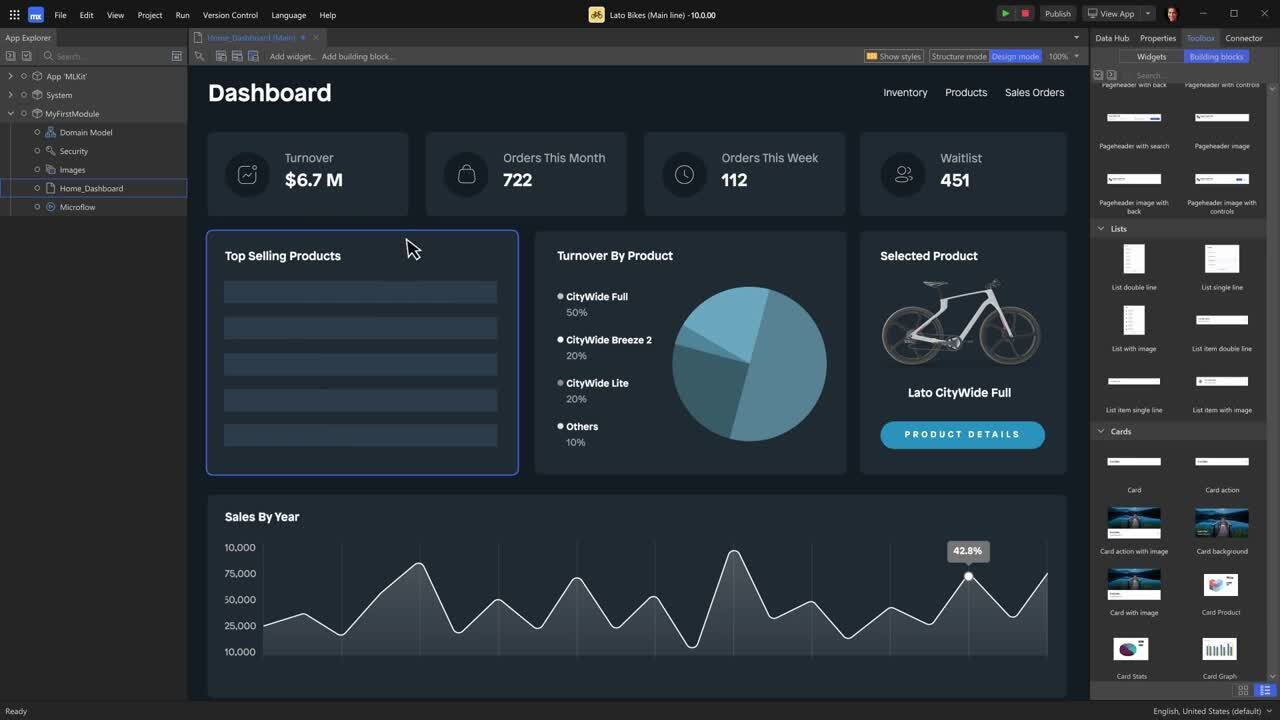
Primary use case: Full-stack enterprise application development requiring deep integrations with SAP environments and multi-cloud portability.
Key strengths:
- Excels in supporting collaborative visual development across fusion teams.
- Offers a cloud-native, containerized architecture compatible with AWS, GCP, Azure, and OpenShift.
- Provides highly sophisticated AI-assisted development modeling features.
- Provides built-in DevOps and CI/CD pipeline support.
Known constraints:
- Introduces a steep learning curve for non-technical developers
- Requires specialized Mendix-certified expertise for complex configurations.
- Initial pricing scales rapidly to substantial annual licensing fees.
Ideal fit: Enterprise IT and business operations teams operating within heavy SAP ecosystems that require multi-experience web and mobile portals.
OutSystems
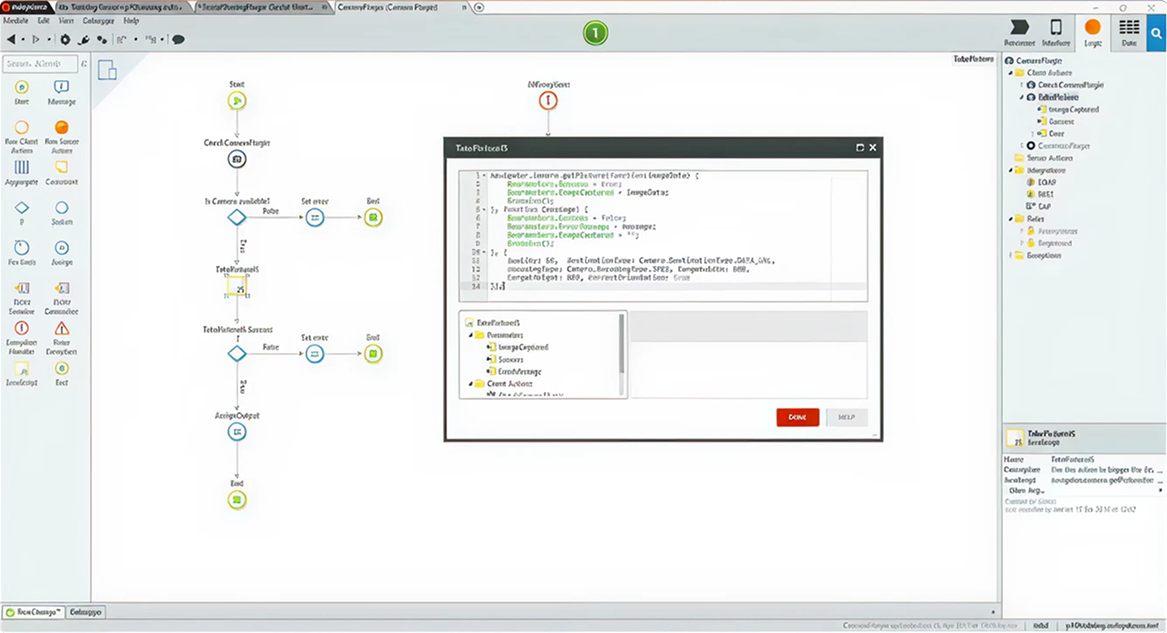
Primary use case: Professional full-stack web and mobile application delivery with a strong emphasis on rapid deployment pipelines and DevSecOps.
Key strengths:
- Features one-click visual application deployment with automated dependency checking.
- Provides built-in security auditing compliant with SOC 2 Type II and ISO standards.
- Offers extensive reusable component libraries via the Forge marketplace.
- Provides AI-powered insights for optimization.
- Offers advanced analytics and reporting.
Known constraints:
- Portability is highly limited due to restricted code export.
- Annual enterprise subscription costs are elevated, often starting around $36,300.
Ideal fit: Professional software engineering teams tasked with shipping enterprise-grade consumer portals or complex internal tools without maintaining custom CI/CD pipelines.
Appian
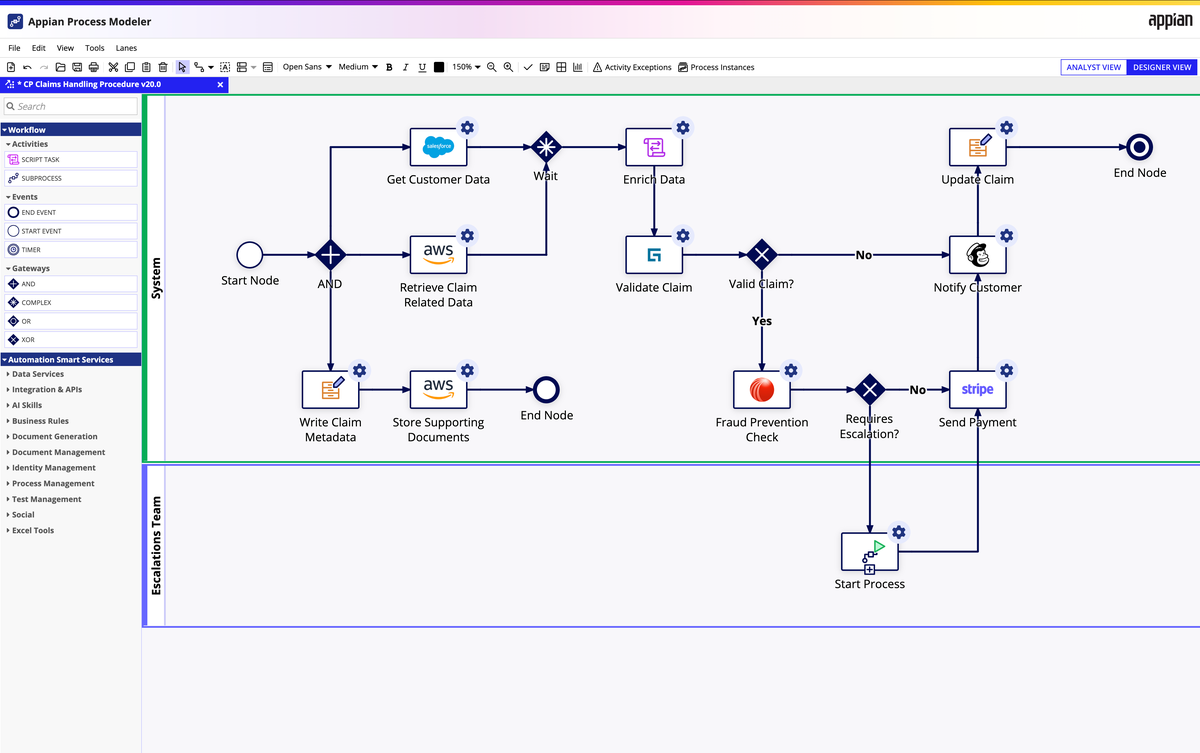
Primary use case: Complex business process automation (BPA), workflow orchestration, and case management across legacy environments.
Key strengths:
- Provides a unified base that integrates disparate systems without requiring manual database replication.
- Provides best-in-class automated compliance tracking.
- Offers top case management workflow templates.
- Offers built-in AI capabilities for automation.
- Provides cloud-native and hybrid deployment options.
Known constraints:
- Visual interface design capabilities are highly rigid and unsuited for custom pixel-perfect consumer web layouts.
- Platform-specific Expression Language has a steep learning curve.
Ideal fit: High-compliance operations teams in banking, healthcare, or government sectors orchestrating complex, multi-system approval chains.
Ecosystem-Specific Low-Code Development Platforms
These low-code platforms for enterprise apps make sense if you already operate within those parent suites.
Microsoft Power Apps + Power Automate
Primary use case: Rapid digitization of internal department processes, approval flows, and productivity tools within a Microsoft tenant.
Key strengths:
- Offers seamless native integration with Microsoft 365, Teams, SharePoint, and Azure Active Directory.
- Offers highly cost-effective baseline licensing bundles for existing enterprise agreements.
Known constraints:
- Strict daily API request limitations throttle high-volume applications (capping premium plans at 40,000 requests per 24 hours).
- Cloud workflow runs have a maximum execution duration of 30 days.
Ideal fit: In-house corporate teams needing to automate internal administrative operations, record collections, and notification triggers.
Salesforce Flow
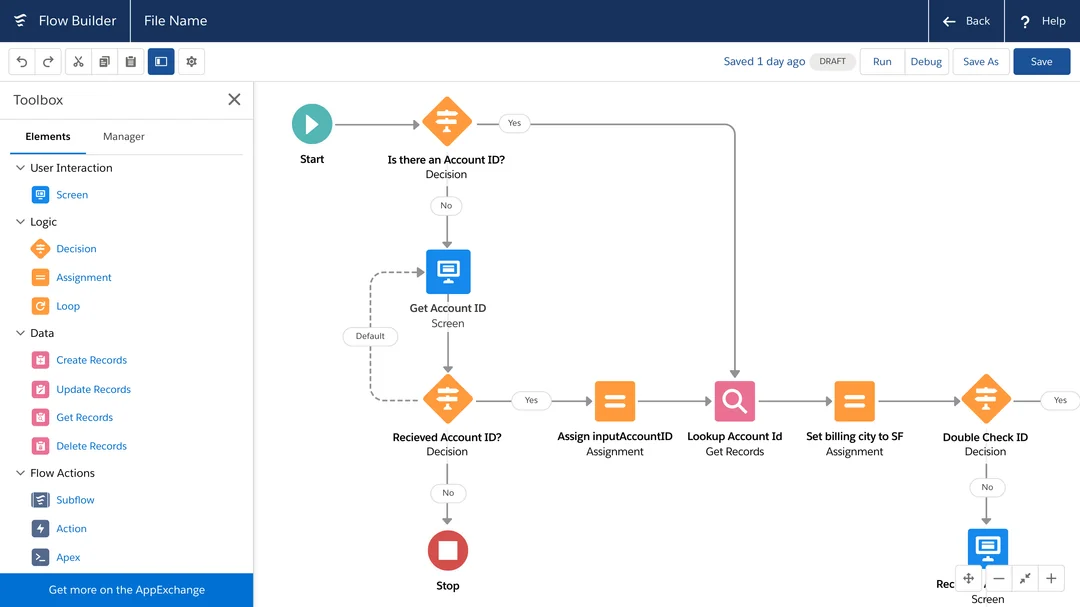
Primary use case: Extending customer-centric business processes and low-code workflow automation directly within the Salesforce CRM.
Key strengths:
- Provides native access to CRM data objects without API middleware.
- Provides direct integration with Agentforce AI for automated decisions.
- Offers massive ecosystem of pre-built integrations via the AppExchange.
Known constraints:
- Subject to strict multi-tenant governor limits that roll back entire database transactions if system resource limits are breached.
- Has minimal capability to function outside the Salesforce environment.
Ideal fit: Organizations seeking to build automated sales, marketing, and client onboarding workflows natively tied to their customer relationship database.
Data-Centric Low-Code Development Platforms
With these top low-code tools, you can build data-heavy interfaces directly over existing databases.
Oracle APEX
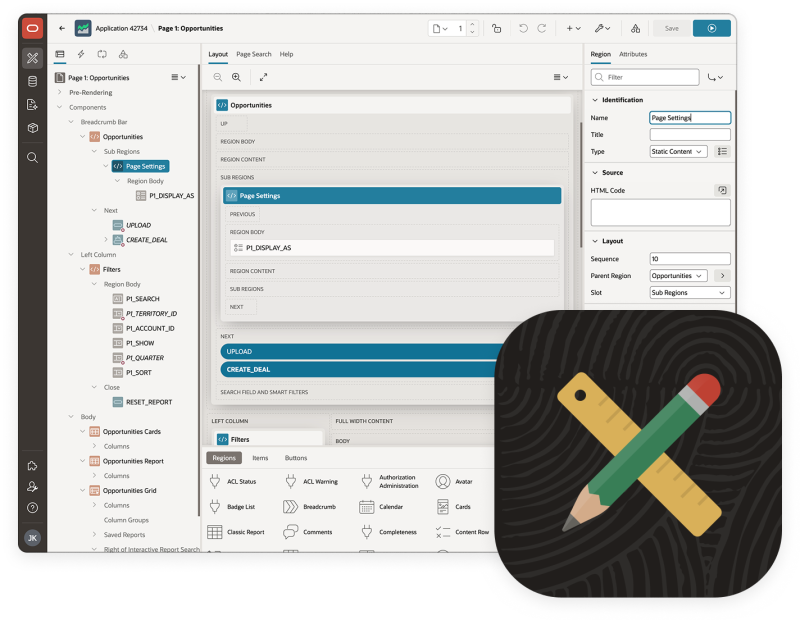
Primary use case: Rapid, high-performance database-driven application development directly over Oracle Database instances.
Key strengths:
- Included with Oracle Database licensing at no additional platform subscription cost.
- Compiles directly into native SQL and PL/SQL for fast data processing.
- Provides a low-friction modernization path for legacy Oracle Forms.
Known constraints:
- Requires an Oracle Database backend.
- Cannot be ported to other relational database management systems like PostgreSQL or MySQL.
Ideal fit: Teams and database administrators managing Oracle data warehouses who need to deploy transactional data grids and dashboards.
Retool
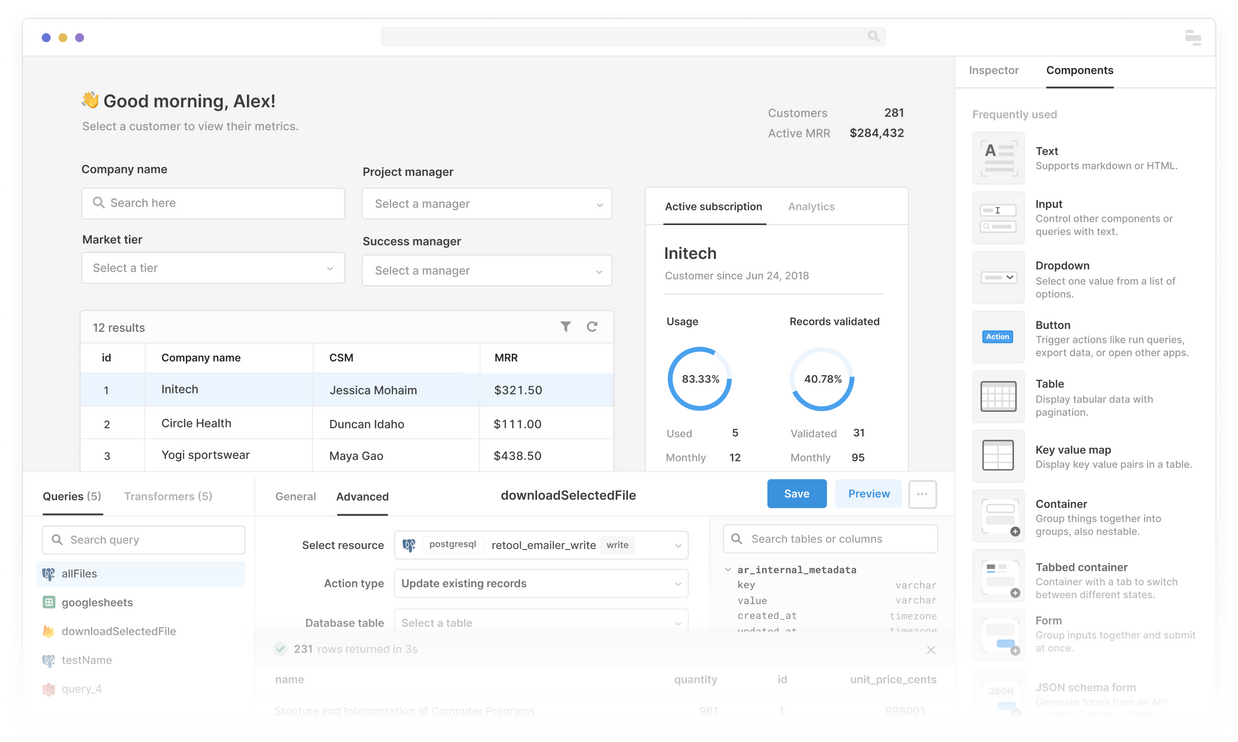
Primary use case: High-speed development of highly customized internal operations dashboards, admin panels, and database GUIs.
Key strengths:
- Connection to any modern database or REST/GraphQL API in minutes.
- Ability to write custom SQL and JavaScript directly inside the editor.
- Support for secure on-premises or private cloud hosting via Kubernetes.
Known constraints:
- Performance degrades when rendering large datasets or complex nested visual elements.
- Git-backed collaboration is vulnerable to merge conflicts in larger developer groups.
Ideal fit: Teams who need to deploy functional, secure internal data administration portals without spending frontend React or Vue development resources.
Citizen-Developer Low-Code Development Platforms
This is a different low-code development category that we don't recommend using for enterprise projects.
Bubble
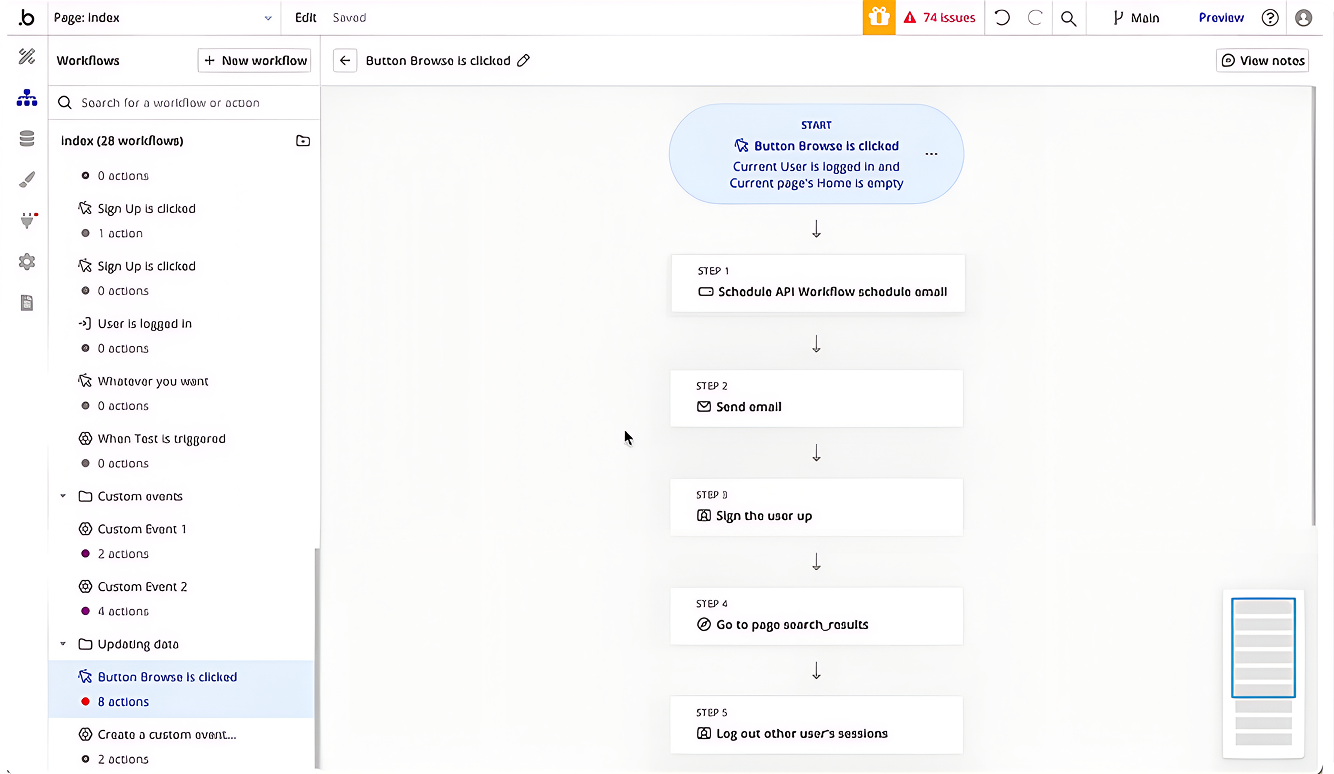
Primary use case: Quick building of marketplaces for buying and selling goods or services and admin dashboards for managing data and monitoring business metrics.
Key strengths:
- Drag-and-drop interface for designing user interfaces and workflows
- Built-in database management for storing and processing data
- Custom logic and workflow capabilities for app functionality
- API integrations to connect third-party services or build custom workflows
- Responsive design for mobile and tablet-friendly applications
- User authentication tools for managing sign-ups, logins, and permissions
Known constraints:
- Highly simplified no-code tool.
- Lacks the data capacity, advanced API extensibility, and security governance frameworks.
- Bad choice for true enterprise-grade development.
Ideal fit: Non-technical founders who need to bring product ideas to life with minimal technical barriers and teams focused on building MVPs to test and validate app concepts quickly.
How to Choose a Low-Code Platform: Key Criteria
| Evaluation Criterion | Key Technical Considerations | Enterprise Platform (e.g., Mendix/OutSystems) | Ecosystem-Native (e.g., Power Apps/Salesforce Flow) | Data-Centric Platform (e.g., Retool/APEX) |
|---|---|---|---|---|
| Existing Technology Stack | Integration with Azure/M365, AWS, Salesforce, or Oracle | Highly compatible via custom API layers and cloud-native containers | Excellent if aligned with Microsoft/Salesforce; highly complex otherwise | Optimal for direct connection to neutral databases or SQL layers |
| Process Complexity | Multi-system orchestration, state machines, and conditional routing | Built-in process engines designed to handle complex, enterprise-wide workflows | Well-suited for standard linear approvals and notifications | Requires custom SQL/JS coding to manage complex state logic |
| Governance & Security | Single Sign-On (SSO), RBAC, audit logging, SOC2/ISO, data residency | Comprehensive; built-in enterprise compliance and data protection features | Inherits parent tenant settings; limited external user access control | Strong on-premise control; granular database query permissions |
| Integration Depth | Bi-directional data sync with legacy mainframes, ERPs, and custom APIs | Extensive; support for enterprise connectors, SOAP, and custom API creation | Constrained by native connector limits and API payload caps | High; developers write custom queries to connect to any API |
| Vendor Lock-In Tolerance | Portability of code, data, and metadata if transitioning off the platform | Low portability; applications must be rebuilt to exit | Extreme lock-in; apps cannot run outside the parent tenant | SQL logic is portable, but the frontend configuration must be rebuilt |
| In-House Team Profile | Alignment with business analysts, SQL writers, or professional engineers | IT and business fusion teams collaborating via visual models | Non-technical analysts and administrators | Professional software engineers, DBAs, and SQL developers |
To select among these top enterprise low-code platforms, comparing licensing costs is not enough. You need to factor in the long-term architectural and operational trade-offs. So, when choosing a low-code platform, consider the following:
- Existing technology stack and ecosystem alignment. If you are already on Azure or Microsoft 365, Power Apps is a logical short-list entry due to its native integration. If it’s Salesforce, then Salesforce Flow. If the stack is neutral, it’s worth looking at enterprise or data-centric low-code development platforms.
- Complexity of business logic and process orchestration. Most low-code development platforms can handle simple forms, approvals, and notifications. Complex multi-step processes with conditional routing, exceptions, and compliance requirements are better suited for Appian, Mendix, and Pega.
- Governance, security, and compliance requirements. Enterprise-grade governance, role-based access, audit logs, SOC2 / ISO compliance, and data residency are available in enterprise low-code development platforms. As for citizen-developer low-code development platforms, these features are absent or limited within them.
- Integration depth. How deep does integration need to be with ERP, CRM, legacy systems, and custom APIs? Low-code development platforms often handle standard connectors well. Still, deep custom integrations require extensibility via code.
- Extensibility and tolerance for vendor lock-in. How critical is it to maintain the ability to exit or perform deep customization? Ecosystem-specific platforms have explicit lock-in. Enterprise platforms have less lock-in, but it still exists.
- Team profile. Citizen-developer tools are for non-technical users. Enterprise low-code is for IT and business collaboration. Data-centric tools are for tech teams.
Choosing the right tool is really important for effective low-code application development. You can approach us for a consultation.
3 Scenarios: Matching Platform Category to Use Case
These 3 representative scenarios will help you understand better what top low-code tools you really need.
Scenario 1: Microsoft Ecosystem Internal Automation
Suppose you are an international shipping firm operating natively on Microsoft 365, Teams, and Azure. You need an internal application to manage:
- Employee onboarding
- Equipment requests
- Department approvals
- Data synchronization between SharePoint lists and standard SQL servers
What is the optimal choice? Your best choice here is Microsoft Power Apps (Canvas and Model-Driven) paired with Power Automate workflows and Microsoft Dataverse (used as the security and data management layer).
Pros of this choice:
- The existing infrastructure simplifies authentication and deployment
- Users log in with standard Microsoft credentials
- Security policies are inherited directly from Active Directory profiles
- Power Automate easily handles simple multi-step approvals and document generation
- Licensing costs are low within existing Office 365 enterprise tiers
What are the operational limits? Suppose the application must be exposed to thousands of external contractors or requires processing complex real-time telemetry datasets. The platform’s 24-hour request caps and premium user licensing structures will trigger high monthly overhead. In this case, a custom build is more economical.
Scenario 2: Enterprise Process-Heavy Systems with Governance
Suppose you are a banking institution that needs a centralized system to coordinate mortgage credit approval processes. This workflow involves:
- Pulling customer scores from external bureaus
- Coordinating manual loan officer reviews
- Evaluating complex risk logic
- Maintaining an immutable transaction log for federal auditors
- Integrating with legacy banking mainframes
What is the optimal choice? Your best choice here is Appian, Mendix, Pega, or ServiceNow App Engine. The precise choice depends on existing stack and your scale.
Pros of this choice:
- You can implement deep integrations, strict security, and process-heavy orchestration.
- You can reference legacy database entries in real time without creating redundant data stores.
- Process modeling engine can provide built-in audit trails, compliance reporting, and strict role-based data partitioning.
What are the operational limits? Developing these systems requires highly certified professional architects and long-term project planning. This is not a citizen-developer scenario. The platform's user interfaces are highly structured and are not built to deliver fully custom consumer application experiences.
Scenario 3: Data-Heavy Internal Tools and Operations Dashboards
Suppose you are a high-growth e-commerce brand that operates over custom PostgreSQL databases. In the live database, your logistics and fulfillment teams require an operational panel to:
- Trace orders
- Flag delayed shipments
- Process client refunds
- Edit inaccurate inventory records directly
What is the optimal choice? Your best choices here are Retool, Budibase, or Oracle APEX. The fulfillment workflows are data-heavy and require direct read/write database interaction without complex middle-tier application interfaces.
Pros of this choice:
- You can securely connect the tool to your PostgreSQL databases in minutes.
- You can drag in standard tables, JSON viewers, and action buttons.
- You can write standard SQL and JavaScript directly inside the visual interface to execute state updates and perform complex inventory calculations.
What are the operational limits? If the business logic grows to encompass automated state routing, third-party user interfaces, or large multi-tenant permission controls, your team can hit the complexity wall. You will need to transition to a custom frontend built on React or Vue. If your requirements for architecture, performance, security, or integrations exceed the capabilities of low-code platforms, the right choice is custom development from the start.
When Low-Code Is Enough and When Custom Development Is the Safer Choice
| Timeline Phase | Low-Code Platform Cost & Operational Reality | Custom Web App Cost & Operational Reality | Cumulative Financial & Strategic Outlook |
|---|---|---|---|
| Year 1 | Low Build Cost: Visual modeling tools reduce initial development costs by 30% to 60%. Paid SaaS platform subscriptions begin immediately. | High Upfront Cost: Complete engineering, custom UX design, and architectural planning require high initial capital investment. | Low-Code Wins: Faster delivery; highly economical for standing up initial MVPs and validating workflows. |
| Year 2 | Compounding Fees: Recurring platform licenses accumulate to equal 30% to 50% of the custom Year 1 build costs. | Flat Overhead: Negligible maintenance; pay-as-you-go cloud hosting fees based purely on compute resources. | Cost Convergence: The upfront savings of the low-code platform begin eroding due to compounding annual subscription fees. |
| Year 3 | Scale Surcharges: Business growth triggers extra fees for API calls, premium connectors, and increased user seat count. | Flat Overhead: Standard security updates, package maintenance, and hosting adjustments require minor budget allocation. | Inflection Point: Cumulative low-code licensing fees often surpass the entire one-time build cost of the custom alternative. |
| Year 4 | Escalation Tax: Platform pricing increases (reflecting average SaaS inflation trends where over 70% of vendors raise fees annually) compound. | Amortized Value: The custom application operates as a company asset; marginal cost of adding new users remains near zero. | Custom Wins: The custom application becomes highly cost-effective; the low-code option scales cost linearly with user headcount. |
| Year 5 | Proprietary Lock-In: Migration away from the platform requires a complete rebuild from scratch, as clean code export does not exist. | Full Ownership: Complete control over development roadmap, performance tuning, and database optimization. | Custom Advantage: Massive long-term savings; higher performance ceilings, lower platform dependency, and higher asset value. |
We are often approached by clients: ”Consult us on what to choose: custom software vs low-code platforms?” Yes, deciding whether to use a low-code platform or invest in full custom development is really hard. We want to make this decision easier for you.
Low-code app builder is suitable in cases when you need:
- Internal tool
- Workflow with limited complexity
- Standard integrations
- Moderate management requirements
- Quick MVP
- Quick prototype
- Citizen developers to be able to handle certain tasks
Custom development should be considered if you need:
- Complex business logic that is difficult to implement in a visual builder
- Performance or scalability that exceeds the platform’s capabilities
- Deep integration with legacy systems, specific APIs, or non-standard data sources
- Critical systems with high security or compliance requirements
- Long-term support and expansion, where vendor lock-in or the platform’s roadmap pose a risk
By the way, in some cases, the total cost of ownership for low-code app builder can exceed the cost of custom development at scale. We recommend opting for custom development in such cases.
We at the TwinCore team regularly help our clients understand where low-code accelerates delivery and where the platform’s architectural limitations create long-term technical debt. When low-code reaches its limits—custom development on .NET or cloud-native provides full control over architecture, integrations, and the roadmap.
Conclusion: Build Your Low-Code Solution Together with TwinCore
The right low-code platform is not the most popular one in the market, but the one that aligns with:
- Existing technology stack
- Internal developer skills
- Compliance standards
- Business logic complexity
For standard internal tools and basic low-code workflow automations, these platforms provide measurable operational benefits. However, when application requirements exceed platform-enforced constraints, investing in custom development is the more sustainable and economically sound choice in the long run.
If you feel your project gets stuck because of technical challenges, TwinCore is always ready to help you with our low-code development services. We have 100+ successful projects behind our backs and a team of qualified experts in Microsoft solutions development. TwinCore can guide you through your entire project. Just get in touch with us, and we’ll get back to you to discuss the details of your request.